Dashboard Overview
The Dashboard provides a unified view of your location performance, reputation metrics, and action items across all connected platforms.
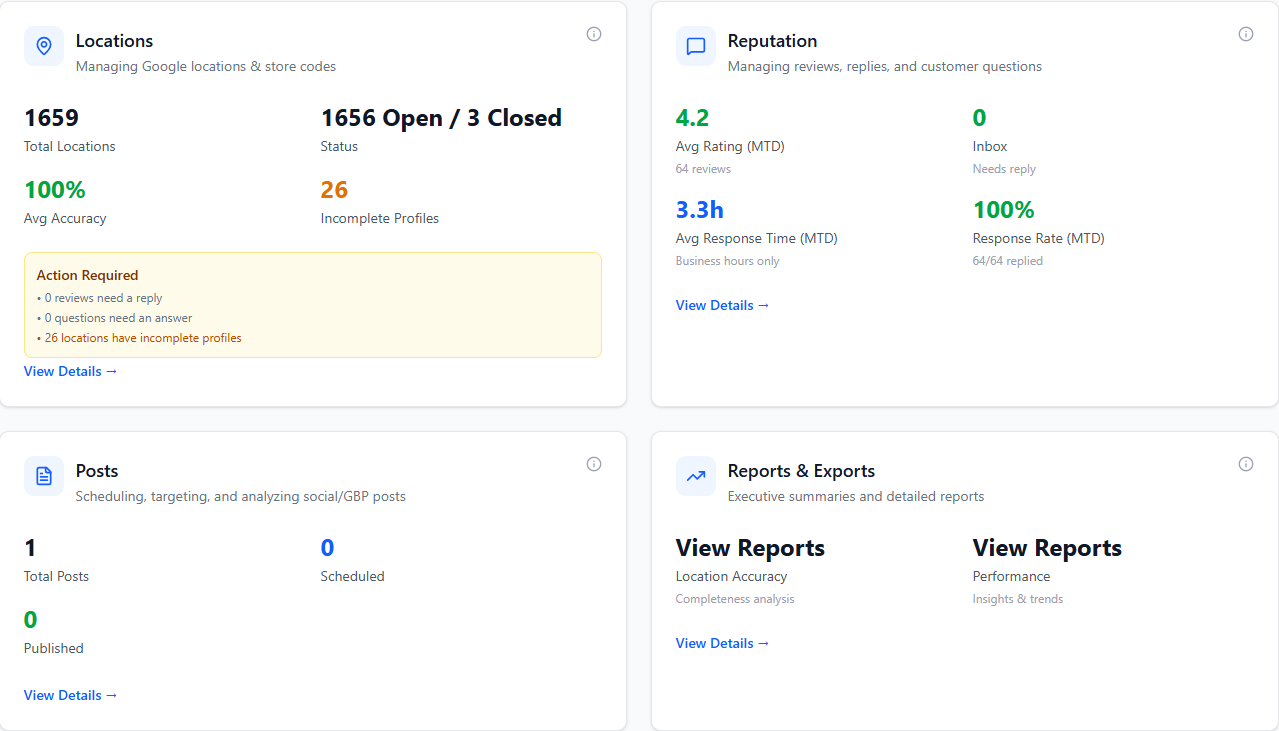
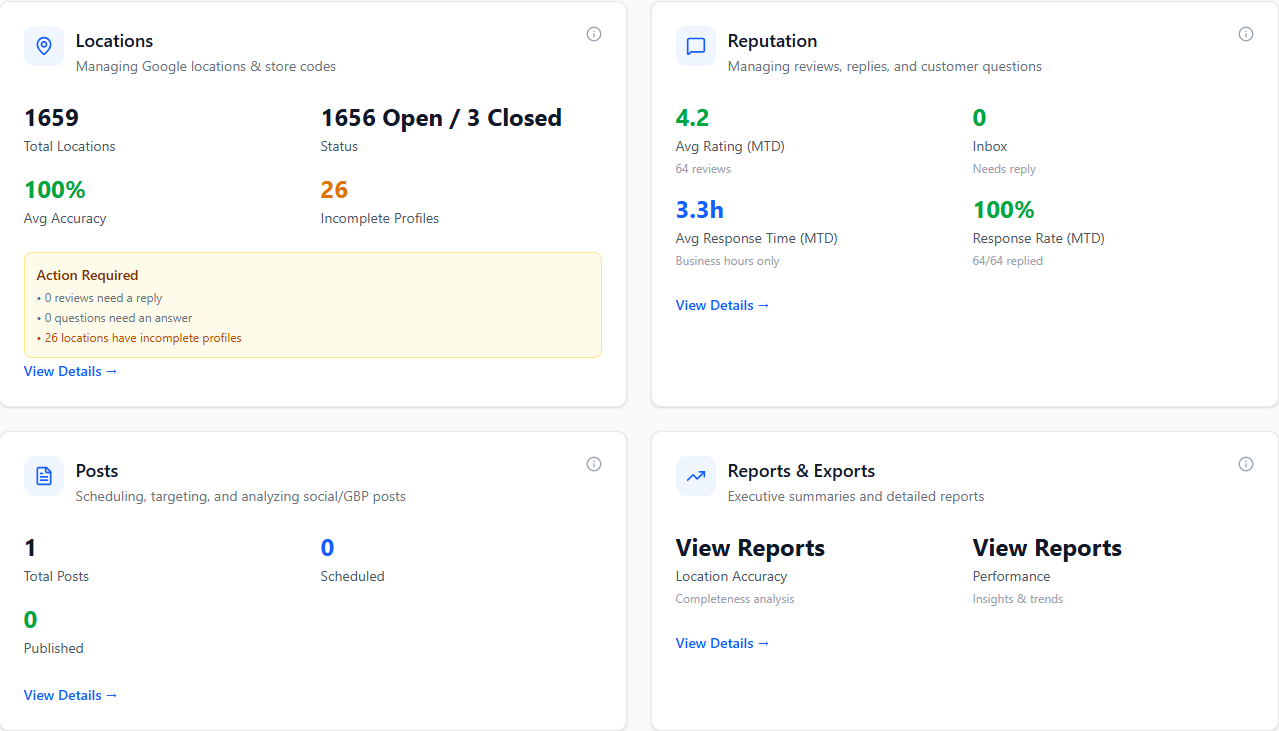
Main Metric Cards
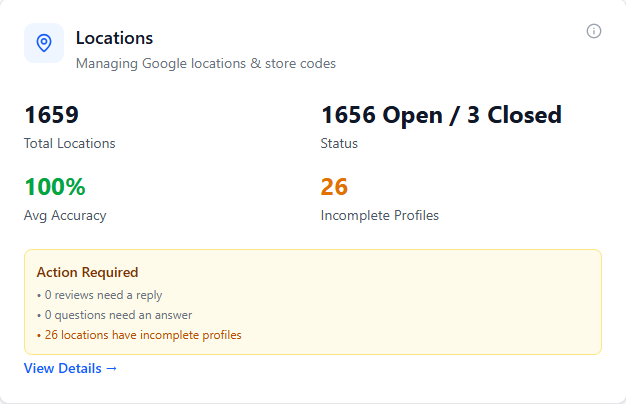
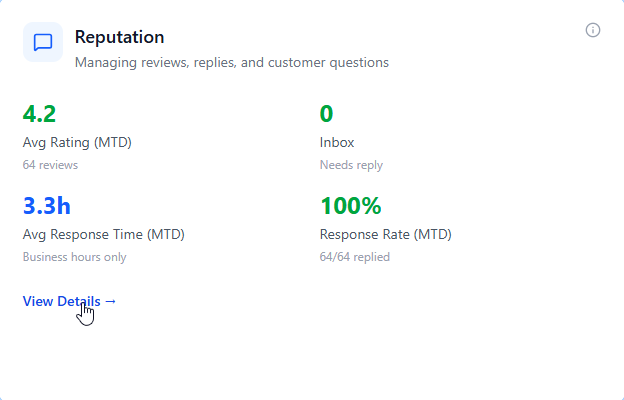
The dashboard displays four key cards - Locations (total count, needs review, incomplete profiles), Reputation (total reviews, response rate, average response time), Performance Metrics (impressions and engagement), and Bulk Posts (scheduled and published content).
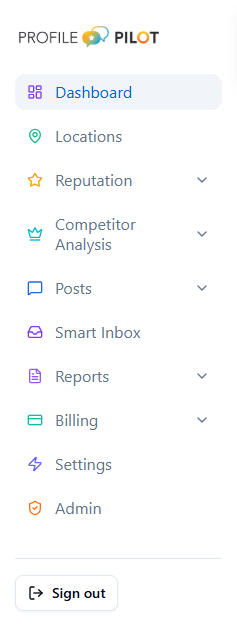
Primary Navigation
Dashboard, Locations, Reputation, Campaigns, Social Posts, Reports (dropdown with Executive, Reputation, Locations, and Locations Accuracy), Billing, Settings, and Admin (admin-only).
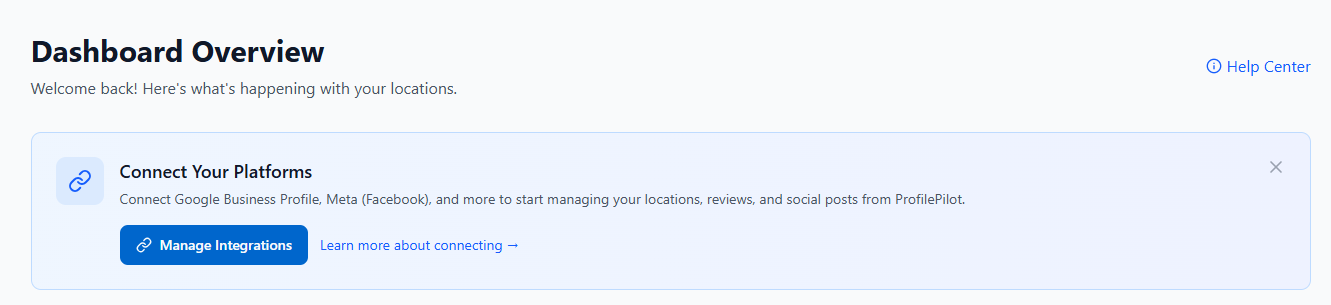
Platform Connection
If no platforms are connected, you'll see a banner prompting you to connect Google Business Profile, Meta (Facebook), Bing Places, and other integrations. Click "Manage Integrations" to get started.
Action Required Summary
The Locations card displays inline alerts for reviews needing replies, unanswered customer questions, and incomplete location profiles. Click any alert to navigate directly to the relevant section.
Core Data Flows
Google Business Profile sync (locations, reviews, metrics, Q&A), Meta (Facebook) integration, Bing Places sync, internal enrichment (posts, short links), and AI-powered insights.
Key Metrics:
Average Response Time (calculated during business hours only, excluding nights/weekends/holidays), Response Rate (percentage of reviews with replies), and Month-to-Date statistics.
Scope Consistency
Dashboard, Reputation, and report metric cards now all respect your Admin Account Sync Scope by default (unless a specific account filter is selected), so totals align across modules.
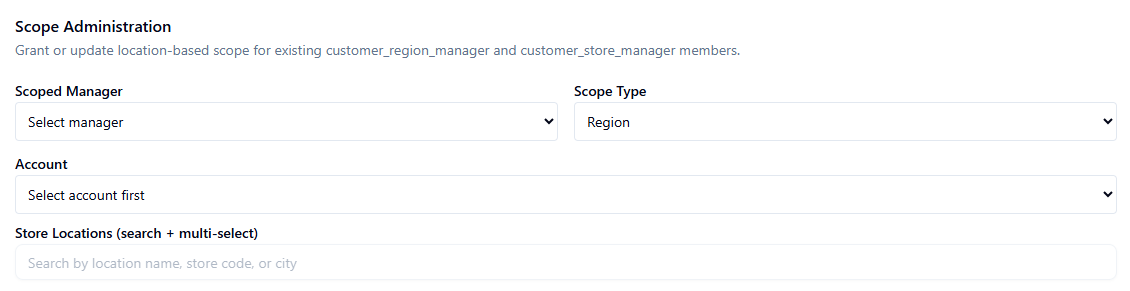
Scoped Manager Scope Basis: For customer_region_manager and customer_store_manager, the Dashboard Locations card now applies scope using the same store-based member scope basis as Reputation (with location-id fallback), preventing false zero-location totals when scoped assignments exist.
Bottom Widgets
Bottom Widgets: Latest Resources for staying informed, Suggestion Box for submitting feedback, and What's New popup for recent feature announcements.
Role-Based Access: Navigation items are filtered based on your role (admin, campaign_specialist, bookkeeper, customer, customer_staff, customer_manager, customer_region_manager, customer_store_manager). Admins see all options including the Admin panel.
Scoped Manager Dashboard View: customer_region_manager sees a simplified dashboard focused on Reputation. customer_store_manager sees Reputation plus a Locations card limited to assigned scoped stores. Both scoped manager roles can access Red Flags, LocalSEO Grid, Campaigns, and Social Posts modules, while keeping scoped data constraints where enforced.
Customer Role Hierarchy: customer = account owner/stakeholder who manages users and roles; customer_manager = full customer-level operational access; customer_region_manager = region-scoped reputation/notification access across one or many regions; customer_store_manager = store-scoped reputation/location access; customer_staff = legacy compatibility role for existing memberships.
Scoped Assignment Security: Region/store scope assignment for customer_region_manager and customer_store_manager can only be configured by admin, customer, customer_manager, or campaign_specialist users. Scoped managers cannot self-assign scope.

- Review action items in the Locations card
- Connect platforms via Manage Integrations button
- Navigate to specific modules via sidebar
- Check response time and rate metrics
- Access reports from the dropdown
- View what's new announcements
AI answers may be approximate. Verify critical steps in official docs above.