Reputation (Reviews)
Manage Google Business Profile reviews, track response metrics, and engage with customers from ProfilePilot.
Overview
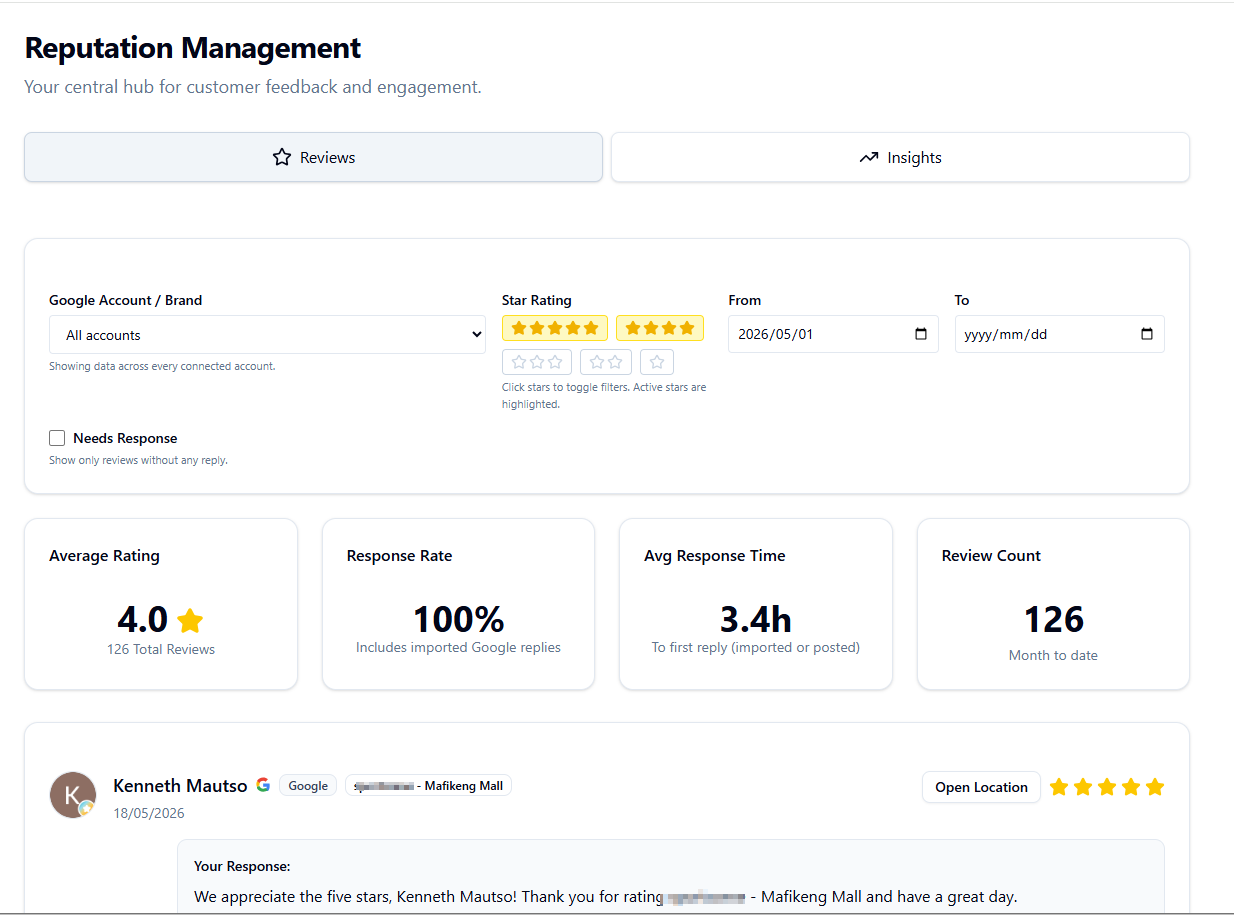
The Reputation module is your central hub for managing Google Business Profile customer reviews. Track response metrics and reply to reviews directly from ProfilePilot.
Tabs
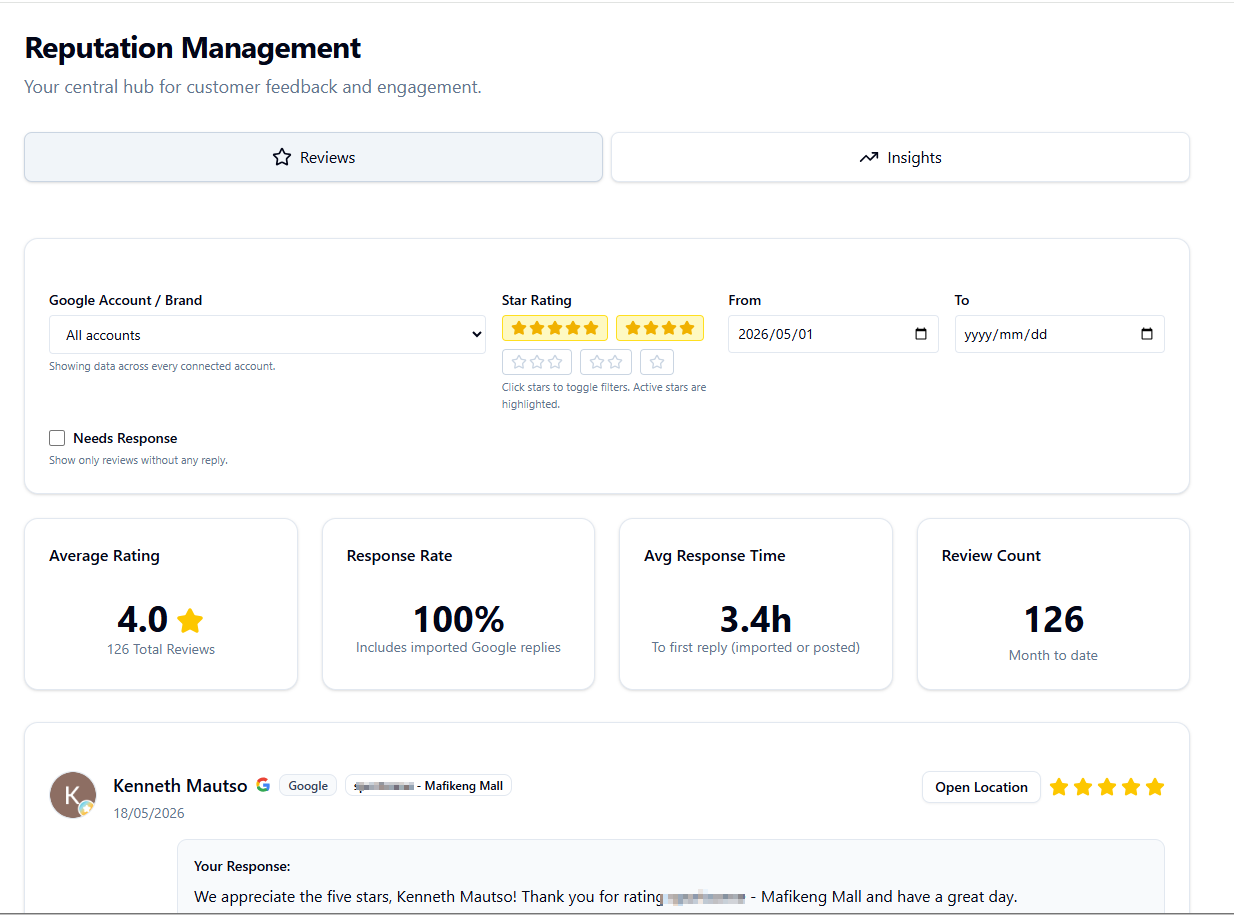
The reputation page has two main tabs: Reviews (Google Business Profile reviews with reply management) and Insights (keyword analysis and customer sentiment over 90 days).
Reviews Tab Features
-
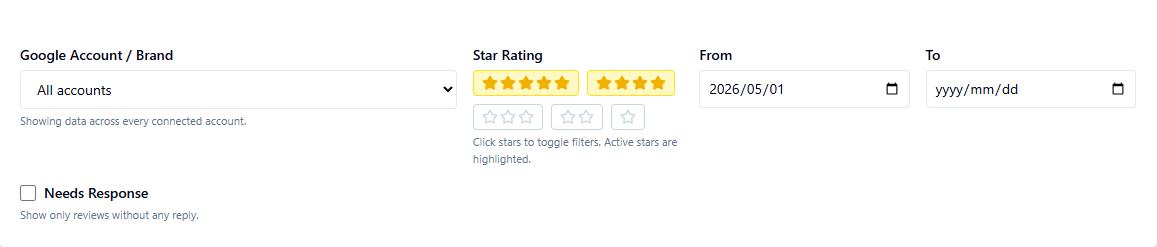
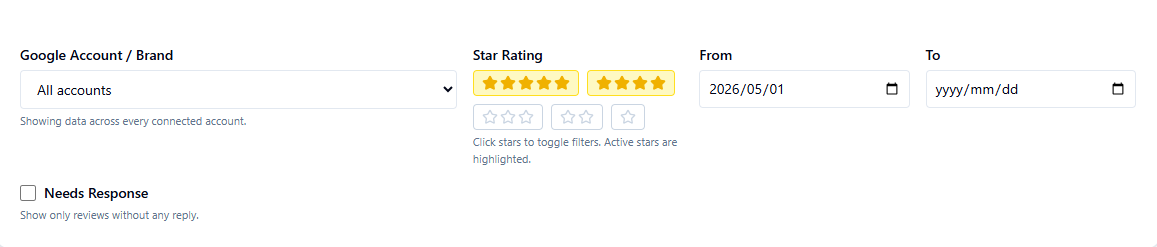 Account Filtering: Filter by Google account/brand to focus on specific locations or view all reviews across accounts
 -
Star Rating Filter: Toggle 5-star, 4-star, 3-star, etc. buttons to show reviews matching specific ratings
-
Date Range: Set "From" and "To" dates to view reviews within a specific time period
-
Executive Date Handoff: From Executive Reports, use "Use Executive Date Range in Reputation Insights" to open the Insights tab with the same account and exact date window pre-applied.
-
Needs Response Filter: Check the "Needs Response" box to show only reviews that haven't been replied to
-
 Metric Scope Parity: The top metric cards (Average Rating, Response Rate, Avg Response Time, Review Count) use the same account/date/needs-response scope as the visible Reviews list so card totals and list totals stay aligned
 -
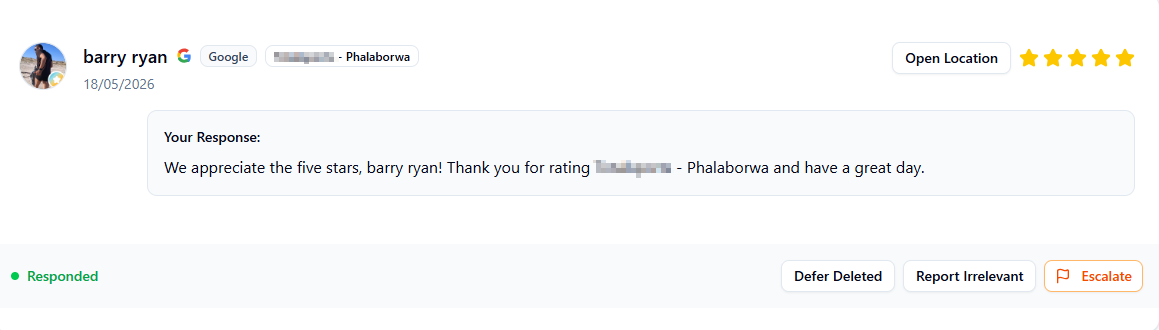 Reviewer Avatars: When available, the reviewer's profile photo is shown next to their review
 -
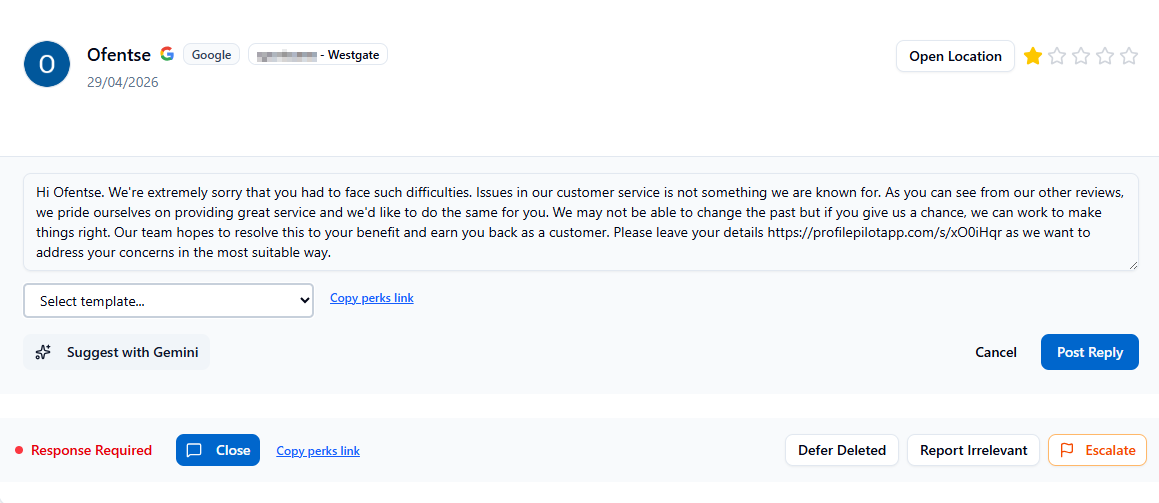
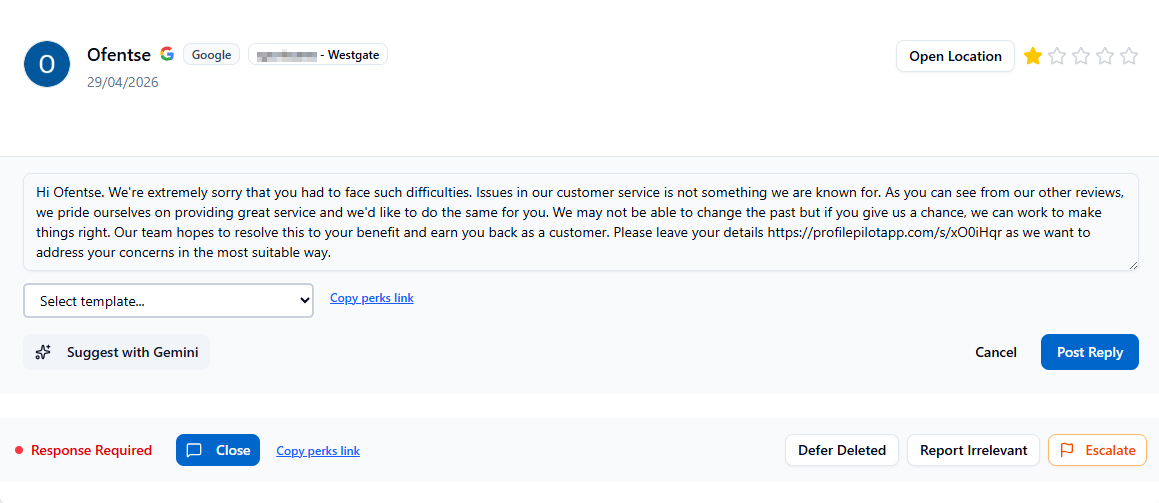 Reply Management: Each review card shows the reviewer name, rating, text, date, and a "Respond" button to post replies directly to Google Business Profile
 -
Moderation Actions: Use Defer Deleted for reviews that were removed on Google but still need tracking, and Report Irrelevant to post an owner response that marks the review as unrelated to your business
-
Response Templates: When replying, a dropdown menu shows saved response templates filtered by review rating and content. Templates support variables like {{NAME}} (reviewer name), {{LISTING}} (business name), and {{LISTING_TEL}} (phone number). Select a template and it auto-fills with your variables substituted.
-
Compose Custom Responses: Type or edit any response text before posting—templates, quick replies, and AI suggestions can all be customized
-
Reply Status: Green indicator with "Responded" shows when a reply has been posted; red "Response Required" indicates action is needed
-
Red Flag Badge: Reviews that are currently flagged in Red Flags display a Red Flag badge directly on the review card for faster risk triage from Reputation
-
Pending Closure Cue: If a flagged review has already been replied to, the card shows "Responded, Pending Closure" to clarify that reply completion and red-flag resolution are separate manual steps
-
Reply Errors: If you see "Reply failed: org_membership_missing", your user is not linked to the organization for that review. Ask an admin to add you to the team (or switch to the correct organization) and retry.
Review Metrics Cards
-
Average Response Time: Hours it takes to respond to reviews on average (calculated during business hours only)
-
Response Rate: Percentage of reviews that have received a reply
-
Total Reviews (30 days): Number of reviews received in the last 30 days
-
Average Rating: Mean star rating across all reviews

Insights Tab
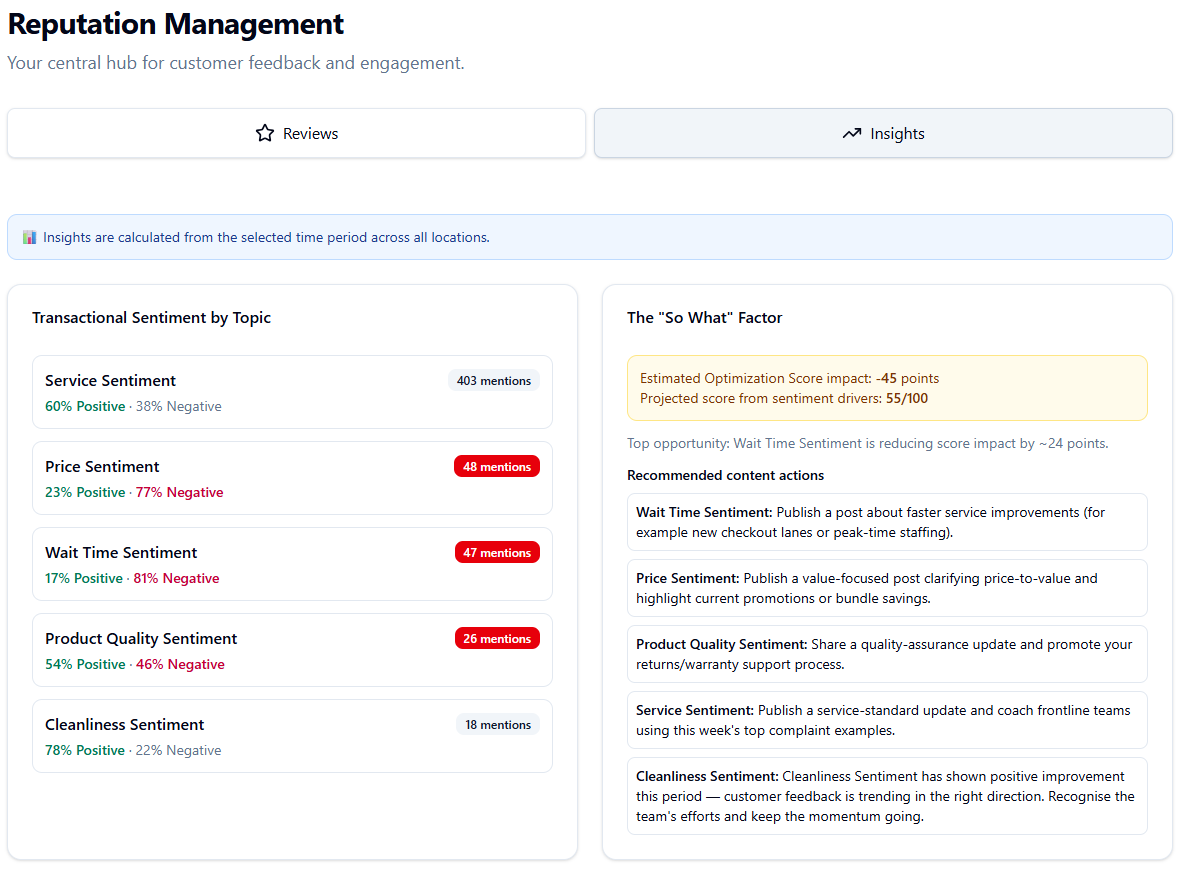
Displays keyword analysis plus transactional sentiment segmentation by topic groups (Service, Price, Cleanliness, Wait Time, Product Quality). You can now see where negative sentiment is concentrated and why it matters.
So-What Optimization Impact
Insights now estimates optimization score impact from negative transactional drivers and provides recommended actions (for example publishing a faster-checkout update when wait-time complaints spike).
Syncing Reviews
Reviews are automatically synced from Google Business Profile when you connect your Google account. Use the Sync button (if available) to manually fetch the latest reviews at any time.
Imported vs. Posted Replies
Replies can be either "Posted" (created through ProfilePilot) or "Imported" (synced from Google Business Profile if you replied elsewhere). Both are tracked and visible in the dashboard.
Best Practices
Respond to all reviews promptly, especially negative ones, to demonstrate customer care. Use the Insights tab to identify common feedback themes and address systemic issues. Use templates with variable substitution for consistency and personalization. Leverage AI suggestions for generating thoughtful responses to difficult reviews.
- Filter reviews by star rating and date
- Reply to a review using quick responses or custom text
- Generate AI-powered response suggestions
- Check average response time and response rate metrics
- View keyword insights from the last 90 days
- Monitor reviews that need responses
- Connect new platforms to sync reviews
AI answers may be approximate. Verify critical steps in official docs above.