Locations Module
The Locations module shows all your Google Business Profile locations and Meta (Facebook) pages in one unified view. Locations are deduplicated by store_code, and each location can be managed individually.
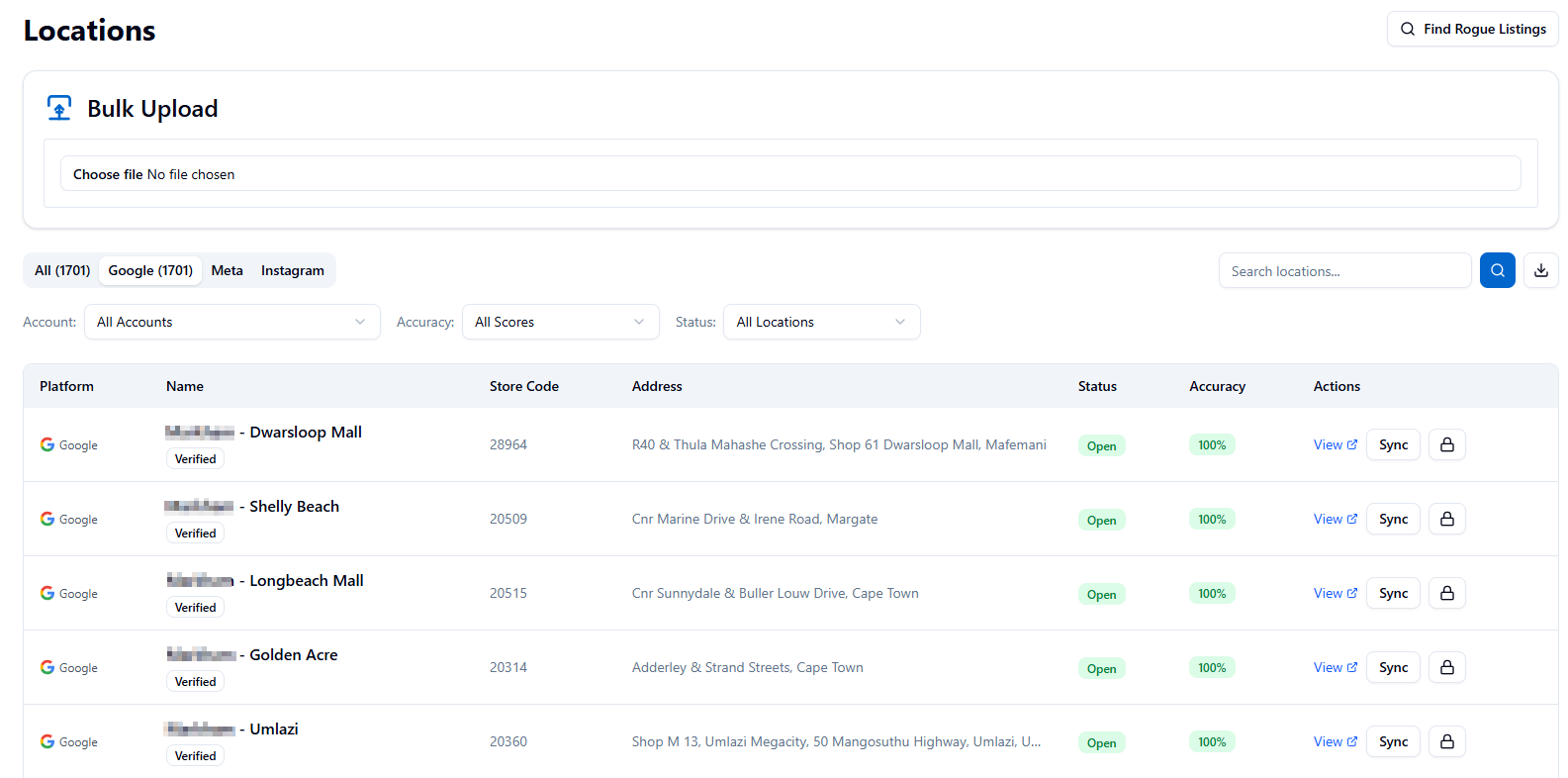
Locations List
The main Locations page displays a searchable, filterable table of all locations with key information including store code, business name, address, and accuracy score. You can filter by account, search by name or store code, and sort by any column.
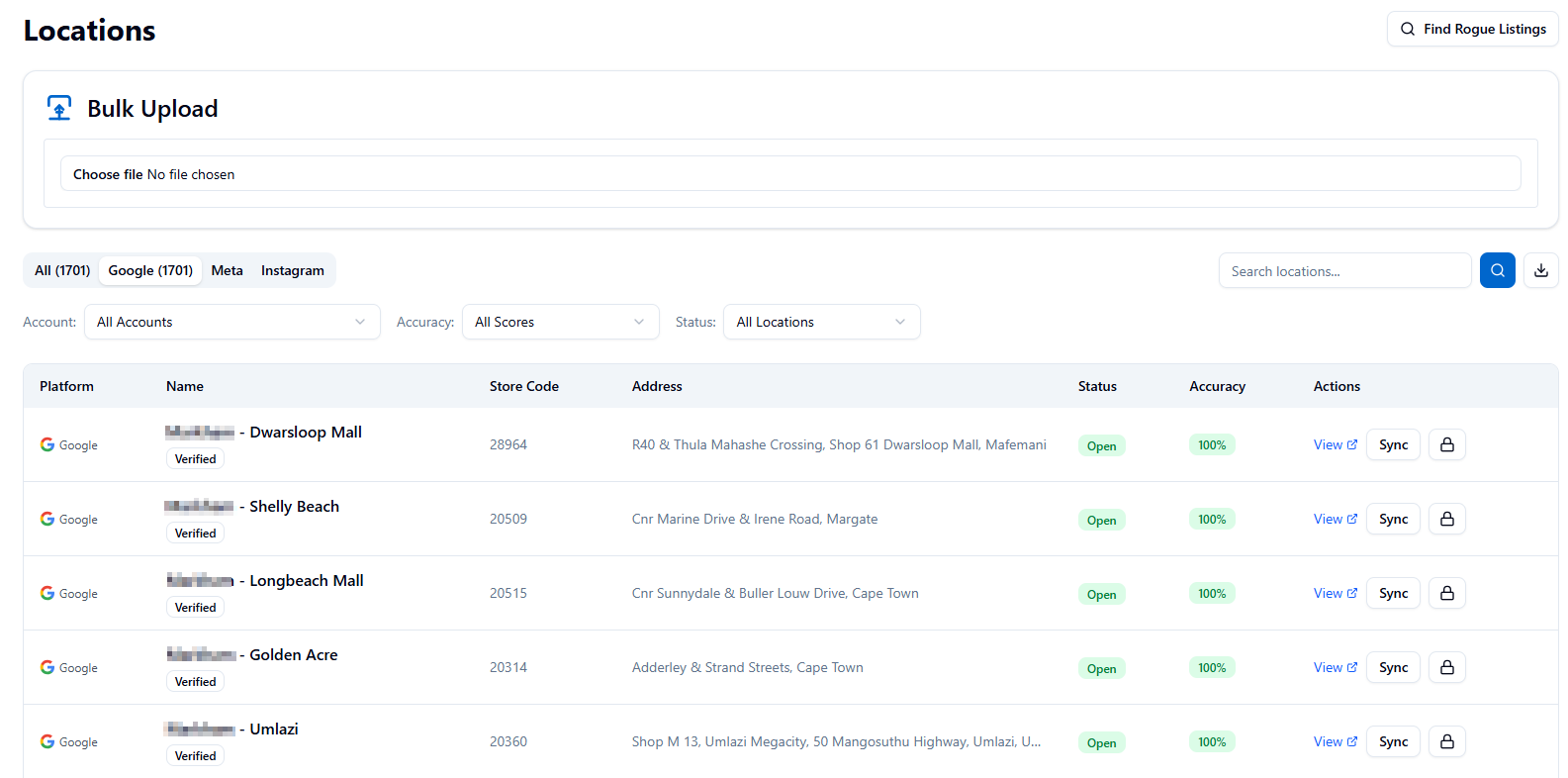
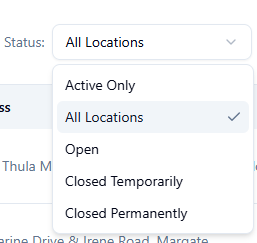
Default Status Visibility
The Locations list now loads with all statuses visible by default. Closed and open listings are both shown unless you apply a status filter.
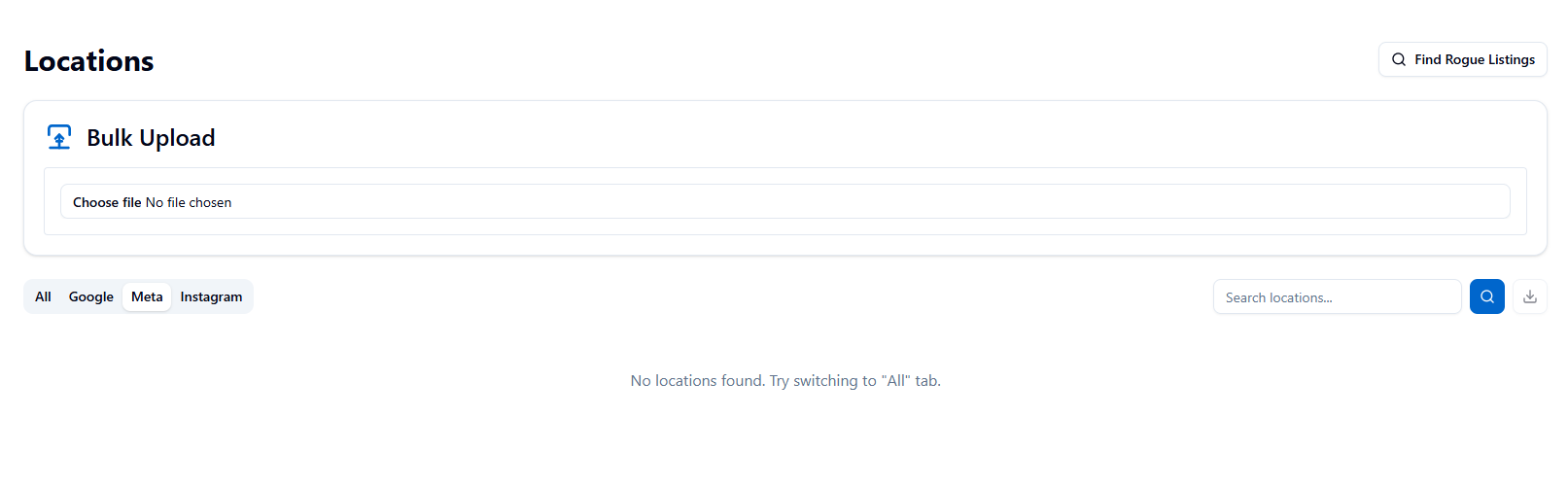
Meta Availability
If Meta (Facebook) data is temporarily unavailable, the unified list will still load Google locations and show a warning; your Google data is unaffected.
Bulk Upload
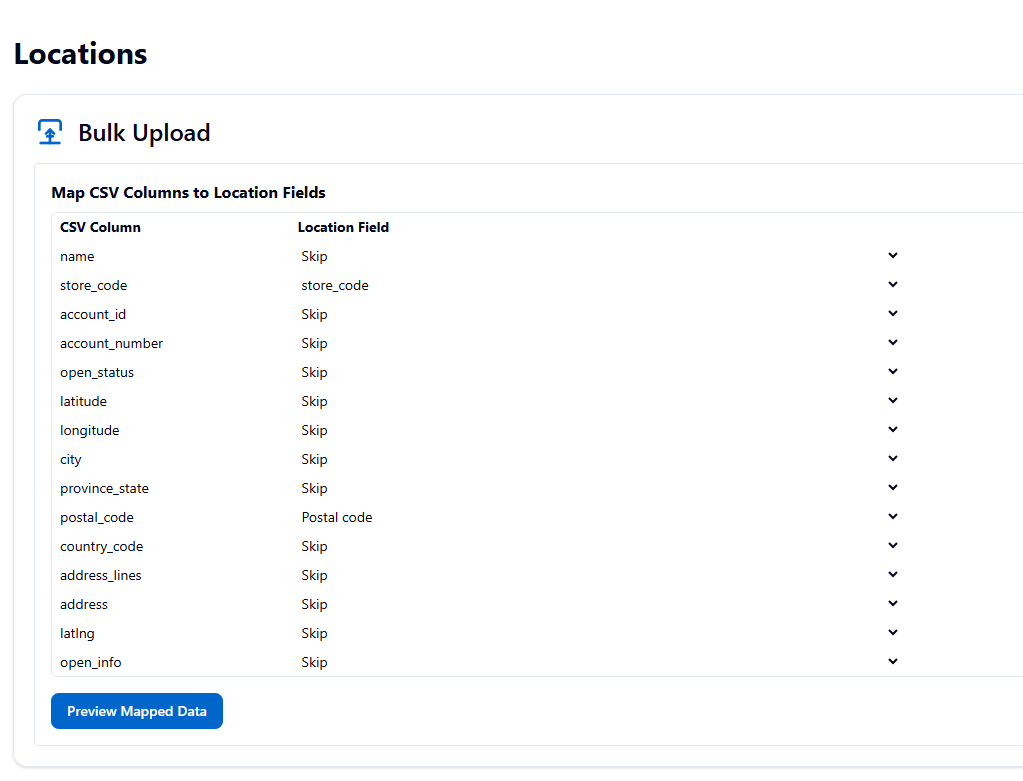
Upload a CSV file to patch metadata for multiple locations at once. Supported fields include status, store code, hours, categories, attributes, contact info, and more. This is useful for mass updates across your location portfolio.
Location Accuracy Score
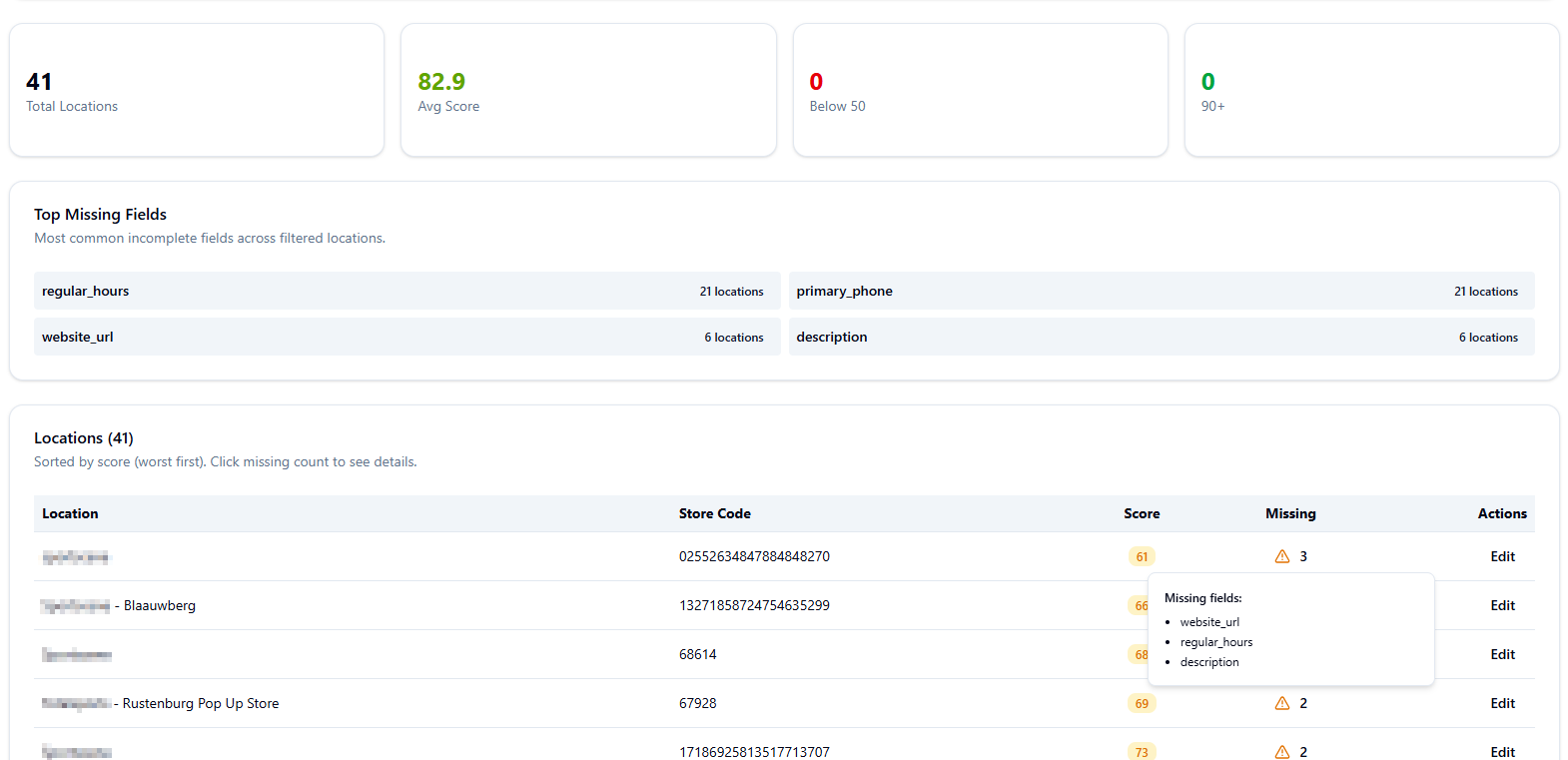
ProfilePilot calculates an accuracy score (0-100) for each location based on how complete and accurate the profile is. The Location Accuracy Report shows all locations ranked by score, helping you prioritize which listings need improvement.
Google Business Profile Location Details
Google Business Profile Location Details: Each location has three main tabs:
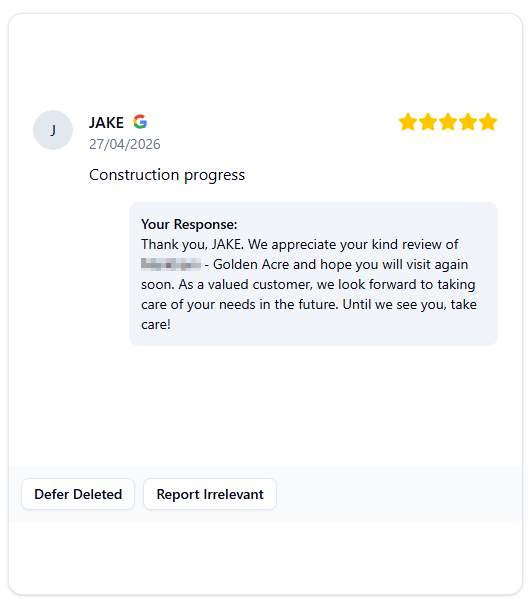
• Reviews Tab: View all reviews synced from Google, with star ratings, reviewer names, and review dates. Reply to reviews directly from ProfilePilot. See review insights and response metrics.
Transactional Review Insights
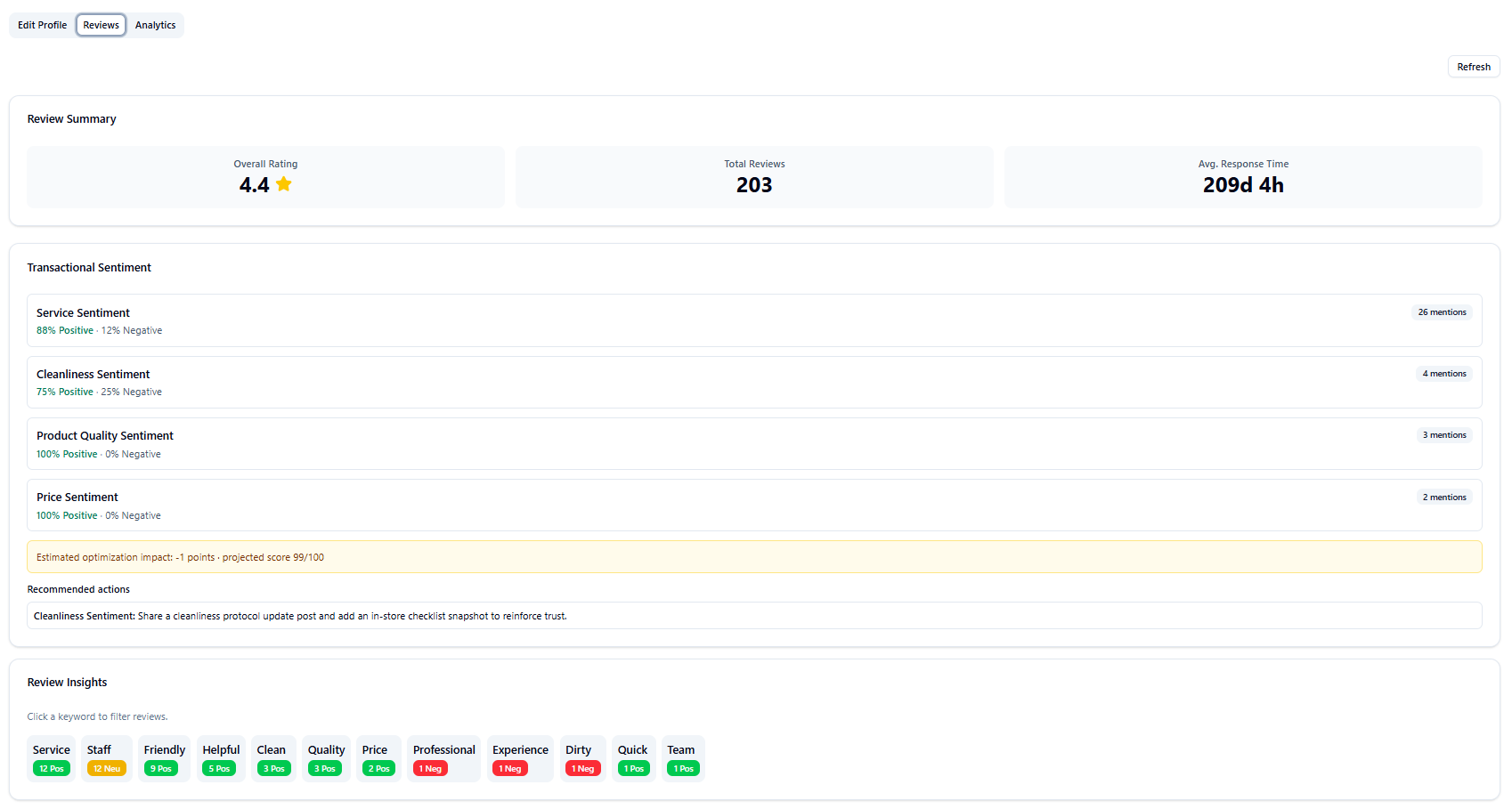
In each location Reviews tab, insights now segment sentiment by topic groups (Service, Price, Cleanliness, Wait Time, Product Quality), estimate optimization impact, and suggest targeted response/content actions.
Analytics Tab
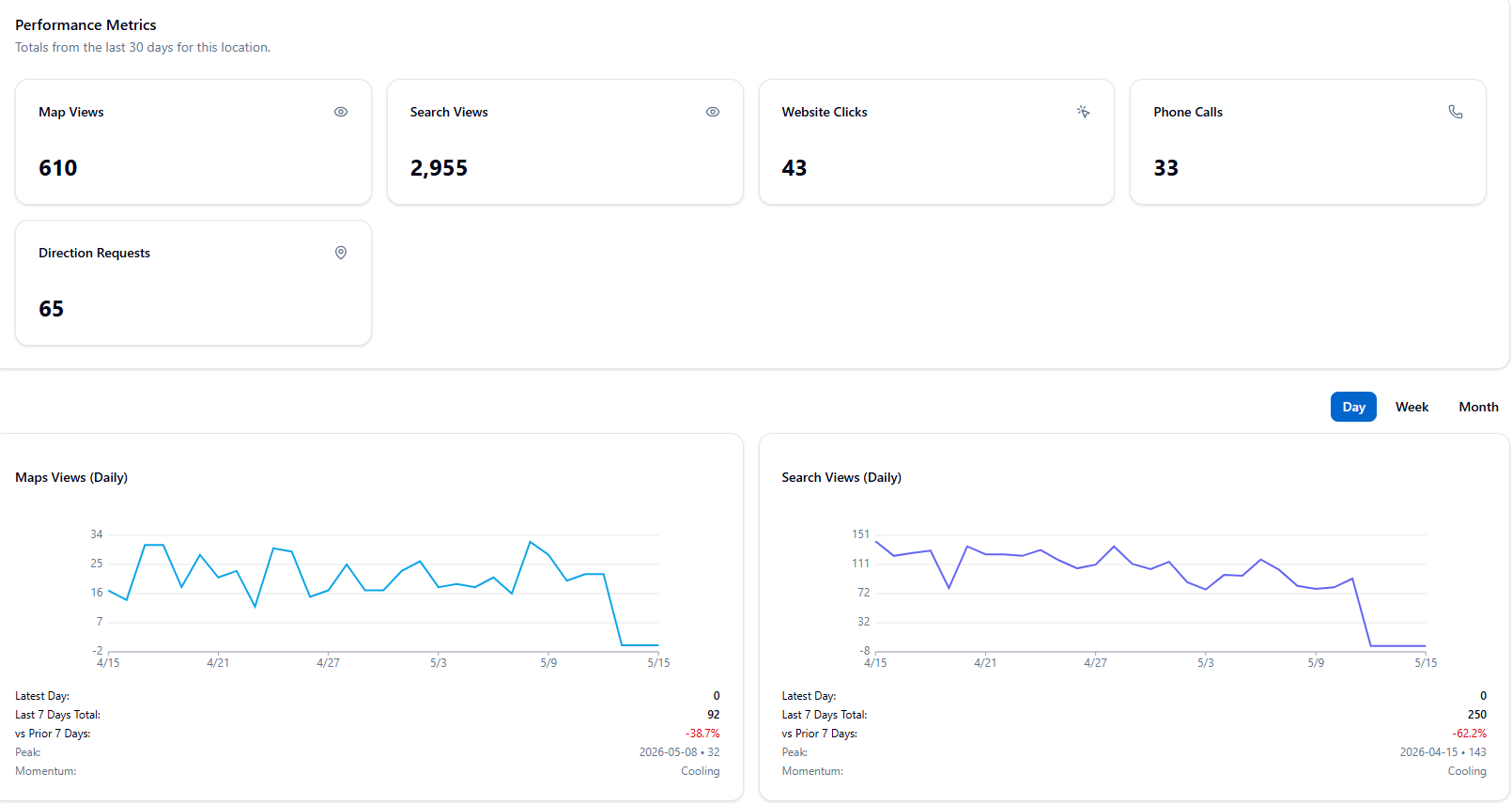
View daily metrics from Google Business Profile including impressions, map views, search views, website clicks, direction requests, and call clicks.
Edit Profile Tab
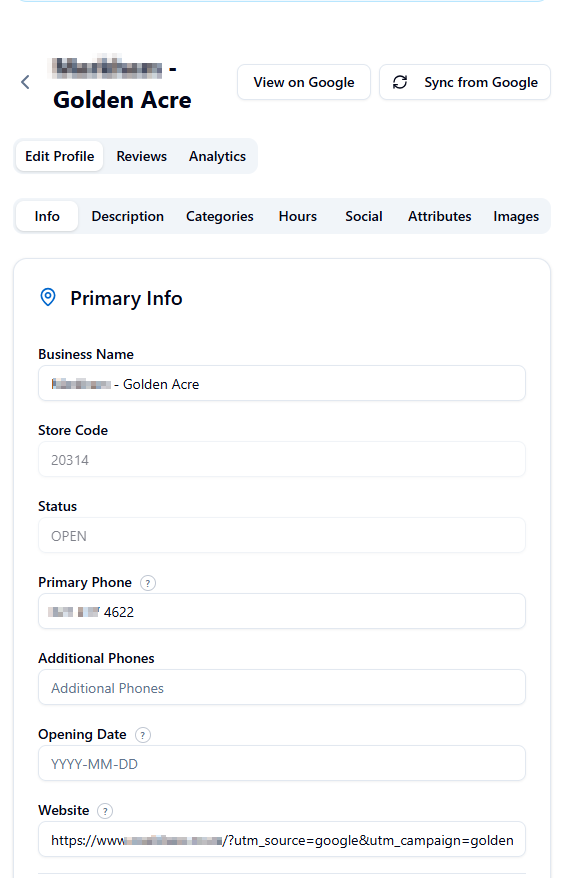
Manage the business profile information including name, phone, website, address, hours, categories, attributes, and description.
Meta (Facebook) Location Details
Meta pages display their own detail page with three tabs:
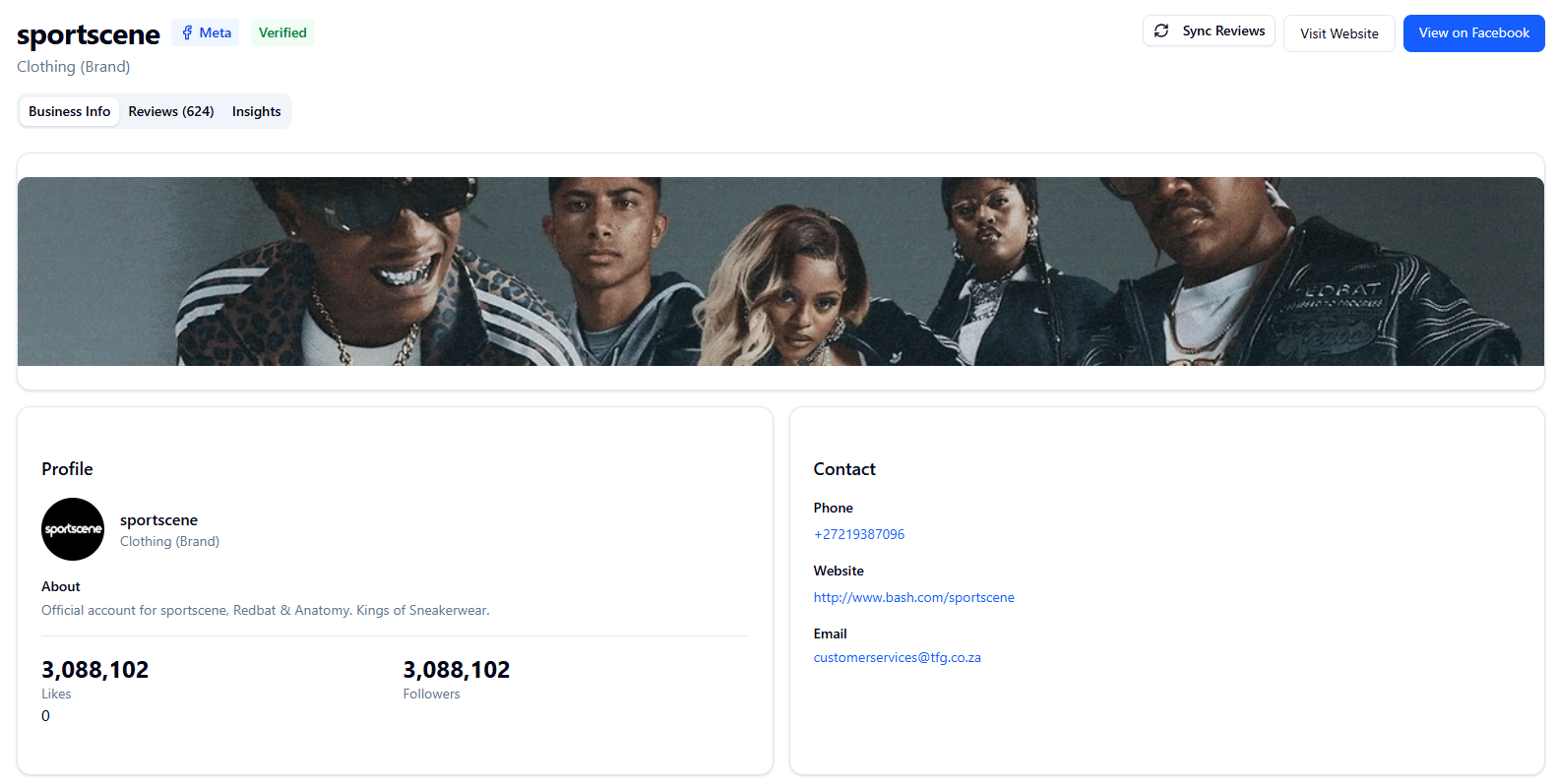
• Business Info Tab: Shows profile information including cover photo, profile photo, business description, likes, followers, and rating. Note: Cover and profile photo images may not display due to Facebook API access restrictions.
• Reviews Tab: View reviews and ratings from Facebook with the same reply and insights functionality as Google reviews.
• Insights Tab: View Facebook page analytics and performance metrics.
Location Status (Google): Indicates the publication and verification state of each Google Business Profile listing:
• Open: Location is published and active with a verified review URL.
• Needs Verification: Location is marked OPEN by Google but lacks a review URL (newReviewUri), indicating it needs verification or publication.
• Closed: Location is permanently or temporarily closed.
• Closed (Recheck): Location was marked CLOSED_PERMANENTLY but has stale sync data older than the safety threshold. Use Sync to re-check live Google status before treating it as final.
• Suspended/Disabled: Google API returns these statuses as OPEN, so they cannot be automatically detected. Check Google Business Profile directly if suspected.
Accuracy Warning: When viewing a location with low accuracy score, a banner shows the top 5 missing fields affecting the score. Complete these fields to improve visibility and customer engagement.
Edit Profile Tips: Use the Edit Profile tab to update all business information. Changes are sent directly to Google Business Profile or Meta. Ensure all key information is filled out for best results. For strict fields like phone, website, and opening date, follow the tooltip guidance to avoid validation errors.
- Search locations by name or store code
- Filter by Google Business account
- Sort by accuracy score to find incomplete profiles
- Upload CSV to bulk update locations
- Reply to customer reviews
- Answer customer questions
- View daily analytics metrics
- Edit business profile information
- Check location status (Open, Needs Verification, Closed)
- Review accuracy warnings and missing fields
AI answers may be approximate. Verify critical steps in official docs above.