
InsightsTroubleshootingSyncData QualityOperations
How to Troubleshoot Insights Sync and Data Gaps
ProfilePilot Team | Aug 18, 2026 | 9 min read
Use this operational runbook to diagnose missing data, permission issues, date-window gaps, and platform-specific sync failures in Insights.
Step 1: Verify org, account scope, and date range first
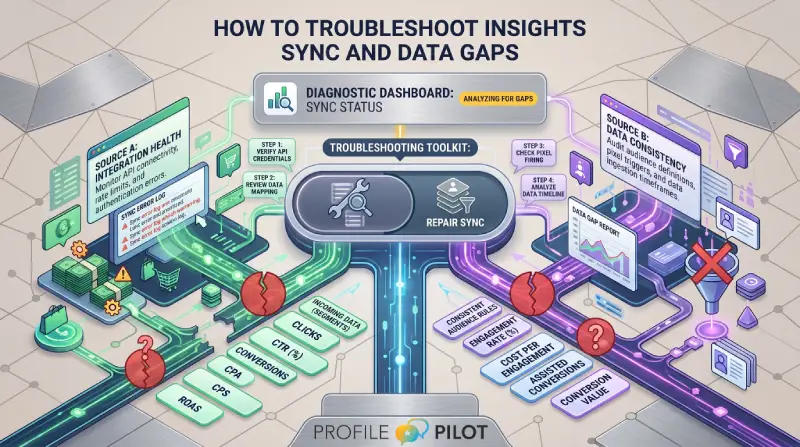
Before deeper debugging, confirm:
- You are in the intended organisation context
- The connected account belongs to that org
- Date range includes active data days
Many apparent sync issues are scope/date mismatches.
Step 2: Recheck connector access and permissions
Review connector health per source:
- GA4 / Ads / GSC Google scopes still valid
- Meta connection includes ads_read and active ad account
Reconnect when in doubt. Expired or partially granted scopes often produce empty ingest without obvious UI errors.
Step 3: Run targeted sync and read ingest logs
Run platform-specific sync, then inspect logs:
- Chunk retries
- Rate limit warnings
- Account skipped/inactive notices
- Rows ingested/stored counts
Use those log signals to distinguish transient API issues from configuration errors.
Step 4: Reconcile totals and escalate with context
After sync, reconcile:
- Overview totals
- Paid media totals
- Channel comparison totals
If numbers still diverge materially, escalate with:
- Organisation ID
- Platform and account ID
- Date range
- Exact ingest log excerpt
This context drastically reduces resolution time.
Keep learning
See the latest guides, experiments, and rollouts.