
Customer Recovery (Using Review Perks & Short Links)
ProfilePilot Team | May 19, 2026 | 3 min read
Negative reviews are inevitable, but they don't have to be permanent. ProfilePilot’s Review Perks and built-in Short Links system are designed specifically to help you bridge the gap between a public complaint and a private resolution. By providing a seamless way for unhappy customers to contact you, you can take the conversation offline, resolve the issue, and ultimately turn critics into brand advocates.
The Customer Recovery Workflow
When you receive a 1- or 2-star review, responding publicly is only half the battle. The Review Perks system allows you to:
-
Respond Publicly: Reply to the negative review and include a clean, branded short link (e.g.,
yoursite.com/s/aAsPKxL). -
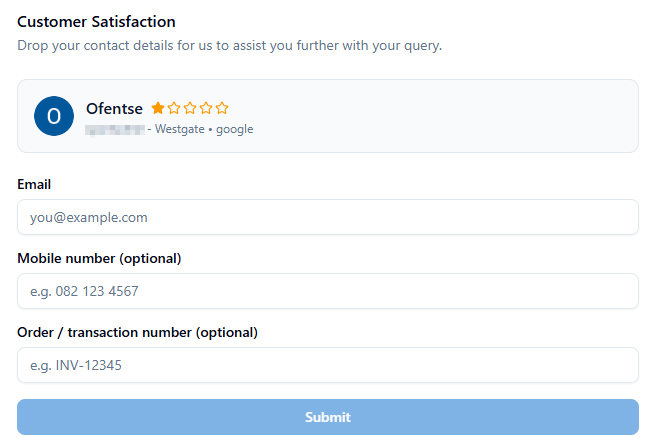
Move Offline: The link directs the customer to a dedicated "Review Perks" landing page (
/join/review-perks). The page displays their original review and rating for context. -
Capture Details: The customer is prompted to enter their email address, and optionally, their mobile number and order/transaction number. (Note: The internal review ID is passed securely and kept hidden from the visible form).
-
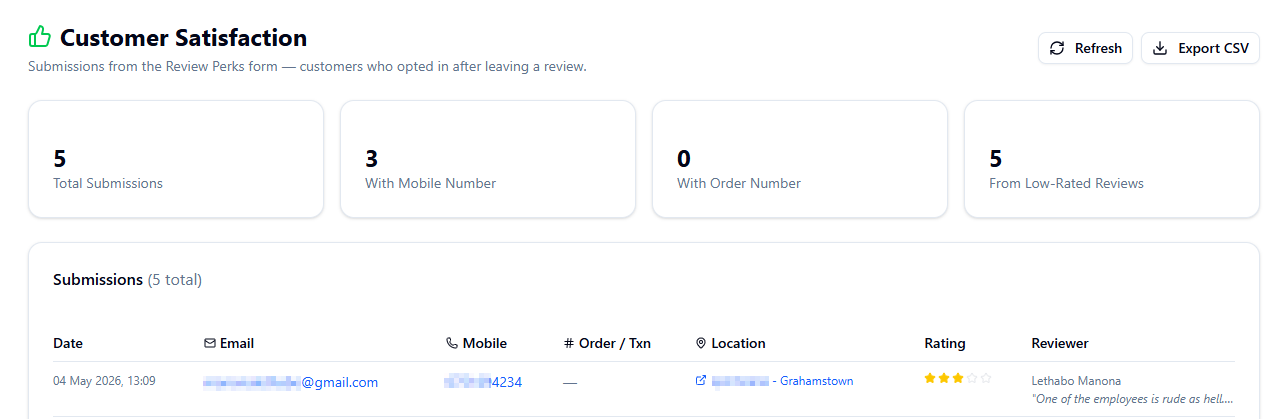 Resolve Privately: You receive their contact information and can follow up directly to offer compensation, apologize, or resolve the issue away from the public eye.
How to Generate Review Perks Links
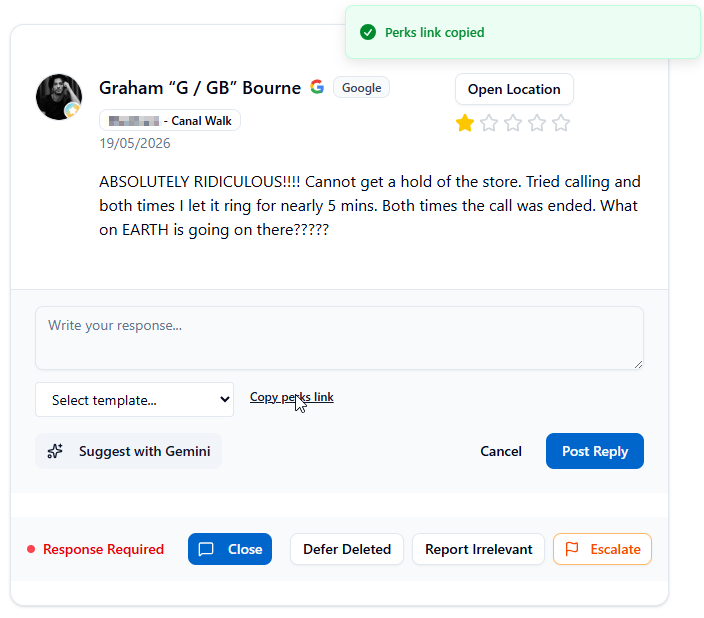
Create short links for customer recovery within the platform.
-
Navigate to the Reputation section.
-
Find the review you are responding to.
-
Hold the click on "Copy Perks Link".
-
The system will automatically generate a custom short link with a vanity slug that includes the specific review ID for internal tracking.
Customizing the Customer Experience
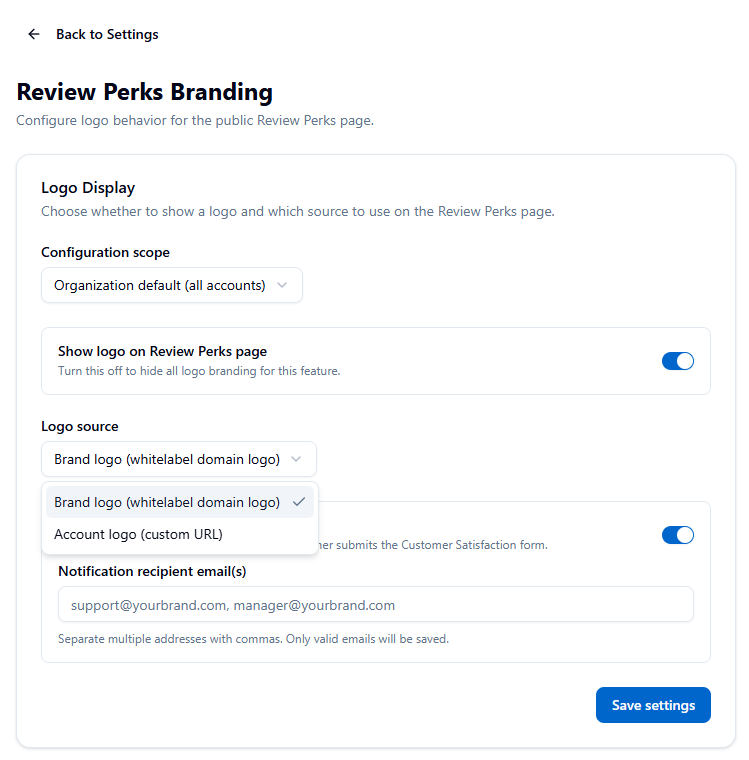
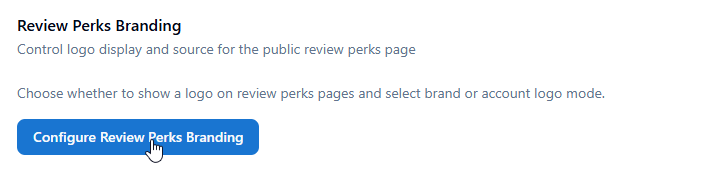
You can fully control the branding of the Review Perks landing page to ensure a cohesive experience for the customer.
-
Navigate to Settings > Review Perks Branding.
-
Logo Controls: Toggle the logo display on or off, and choose between the brand-domain logo or the specific account logo URL.
-
Overrides: Apply account-specific overrides with an organization-level fallback.
-
Notifications: Enable Customer Satisfaction (CSAT) notification emails. When a customer submits their information, these alerts ensure your team can respond immediately. All submissions are securely logged in the database (
review_optinstable).
Best Practices for Service Recovery
-
Always Include a Link: Make it a standard operating procedure to include a Perks link when responding to any 1- or 2-star review.
-
Use Friendly Slugs: Use approachable, professional URL slugs like
/s/review-help,/s/feedback, or/s/support. -
Speed is Critical: When a customer submits their contact info, respond as quickly as possible. The faster the outreach, the higher the chance of them updating or removing the negative review.
-
Be Solution-Focused: Keep your follow-up emails genuine and focused on resolving their specific transaction or experience.
Beyond Customer Recovery: While built for the Review Perks system, your built-in URL shortener is highly versatile. You can use these manual short links for SMS review request campaigns, social media tracking, QR codes on printed marketing materials, or newsletter link tracking.
Quick Tasks
- ✓Create perks link when responding to negative reviews
- ✓Use Shift+Click to customize slug when copying review links
- ✓Follow up with customers who submit emails via perks
- ✓Create manual short links from Admin > Short Links
- ✓Monitor which responses generate the most email submissions
Keep learning
See the latest guides, experiments, and rollouts.