
Why Google is Rejecting Your Business Photos (and How to Fix it in 2025)
ProfilePilot Team | Jan 6, 2025 | 7 min read
Struggling with the "Not Approved" status on your Google Business Profile? Learn the latest AI-driven reasons for rejection and the steps to get your images live.
The "Not Approved" Mystery: Why AI is the Gatekeeper
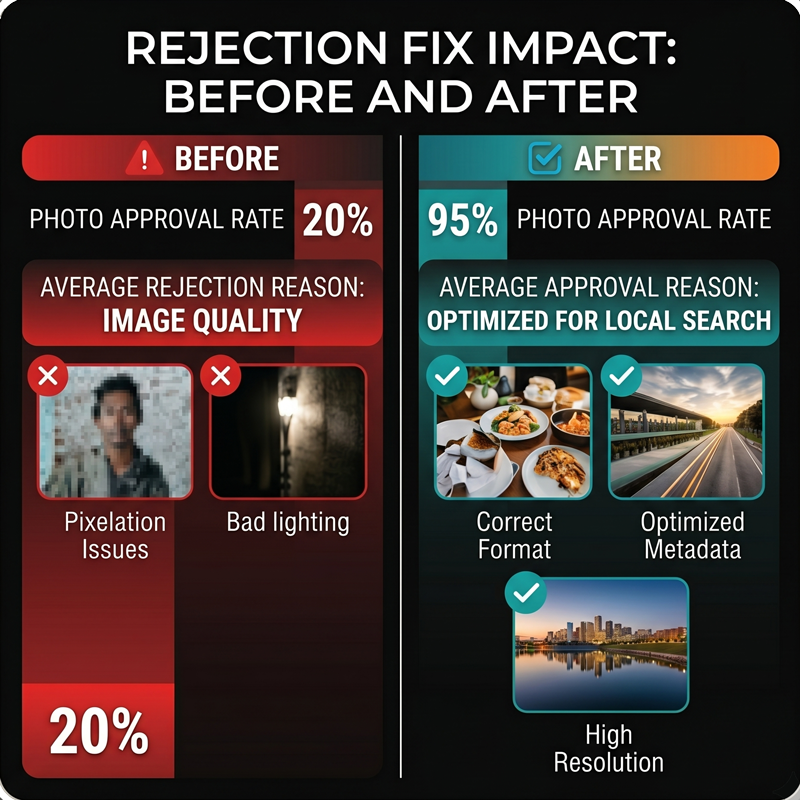
In 2025, photo moderation is almost entirely automated. Google uses Cloud Vision AI to scan every upload in milliseconds. If your photo is rejected instantly, it isn't a human reviewer—it's an algorithm flagging a technical or policy violation. Understanding these AI triggers is the first step to staying live.
Technical Standards: The Specs that Stick
Google has tightened its technical requirements. To pass the first filter, ensure your photos are: JPG or PNG format, between 10 KB and 5 MB, and a minimum resolution of 720x720 pixels. Photos smaller than 250px or those with aggressive compression (72 dpi) are now frequently auto-rejected for "low quality."
The 10% Text Rule & Promotional Overlays
Google treats your profile as a utility for users, not an ad space. If text covers more than 10% of your image, or if you include phone numbers and URLs in the graphic, the AI will flag it as promotional. Keep logos small, placed in the corners, and avoid "Sale" or "Call Now" overlays entirely.
Authenticity vs. The Stock Photo Trap
Google's duplicate detection is more advanced than ever. Using stock photos, screenshots, or images found on other websites will trigger a rejection. Google requires original photos taken at your actual business location. Pro tip: Photos taken with GPS metadata (EXIF data) matching your business address have a much higher approval rate.
AI-Generated Content and Heavy Filters
With the rise of Gen-AI, Google is now specifically flagging AI-generated imagery and heavy filters. Images that appear "unnatural" or over-processed are often rejected for misrepresenting reality. Stick to well-lit, sharp, and minimally edited photography to build trust with both Google and customers.
The 14-Day Account Probation Window
If your business profile is brand new or was recently reinstated, you are likely in a "probation" window. Google often blocks all photo uploads for the first 10-14 days while it verifies the legitimacy of the profile. If your specs are perfect but rejections persist, you may simply need to wait two weeks.
The 48-Hour Bug: Don't Delete Yet!
There is a persistent bug where photos show as "Rejected" or "Not Approved" for the first 24-48 hours while they index. Before you delete and re-upload (which looks like spam to Google), wait two full days. Often, the status will flip to "Live" once the backend processing finishes.
Keep learning
See the latest guides, experiments, and rollouts.